The store will not work correctly when cookies are disabled.
NEW
Welcome to the new eSUN website!
•
Now in beta. Your feedback helps us make it better.
Feedback
→
Wiki Menu
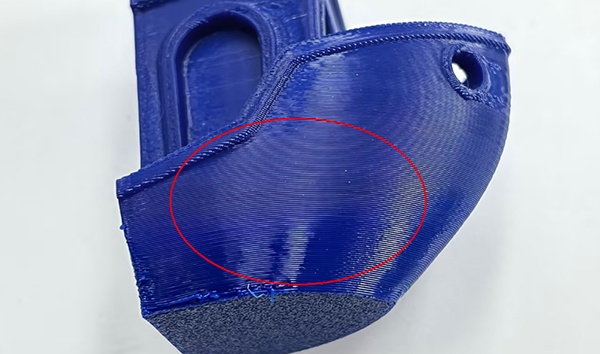
Inconsistent Surface Gloss on the Print
Cause: Significant variation in print speed
Solution: Higher printing speeds tend to reduce surface gloss. When surface print speeds vary greatly across the model, gloss inconsistencies appear — especially on slower overhang areas. Testing shows that speeds above ~80mm/s noticeably reduce gloss. Disable speed reduction features, and try to keep surface print speeds consistent to reduce gloss variations.
Loading your coupons...
No coupons are available for the current cart.